
vAudit Forge is a cloud-based packing video storage management platform that stores order-linked packing videos and timestamped images, with video retention options of 30, 60, or 90 days. You can retrieve a video by order ID, review the packing event, download the recording, or share the video URL when proof is needed.
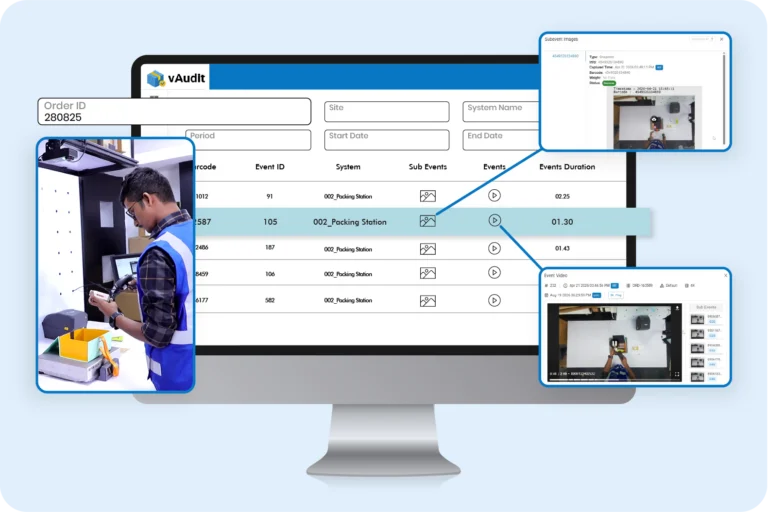
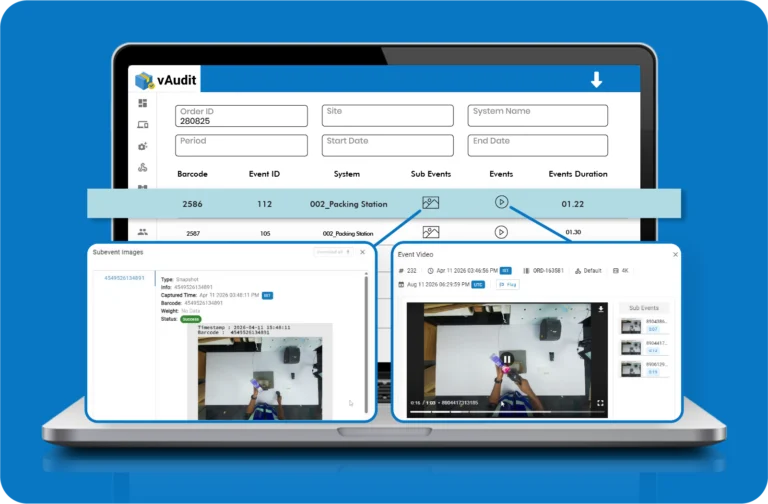
vAudit Forge is the cloud platform of vAudit for packing video storage management. It keeps each packing video, captured image, and order detail linked to the order ID, so you can find the right record later without searching through folders or long camera timelines.
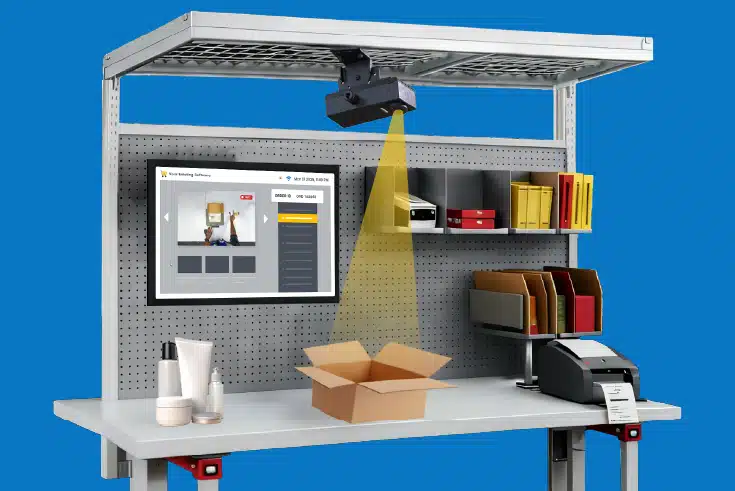
Dedicated vAudit hardware for recording the order packing process at the packing station.
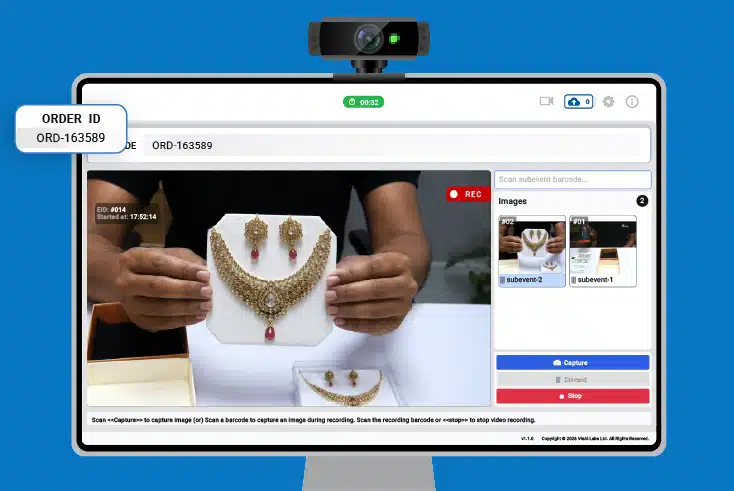
A desktop application that records packing videos using your webcam and laptop/desktop.
vAudit Forge manages the packing videos you record on your vAudit HD and Desk devices. It becomes an easy to access cloud platform that not only acts as a storage solution but also lets you generate video links for ease of sharing the video proof with your customers and manage devices, users, and deploy workflows remotely.
Enter the order ID or any other unique identifier you use to locate the exact packing video
You can easily group and preview recordings from a specific station or system for internal audits or QA purposes.
vAudit Forge stores the packing video and the additional image within that order record to help you access multiple proof in one click.
Replay the packing video
Move backward or forward through the packing video to review certain steps of the packing process
Review timestamped images
Check the item condition, label, and other item-level proof on the timestamped images captured during video recording
Download or share the video
Download the packing video for internal review or share its URL with customers, clients, or marketplaces.
Find the matching packing record
Search by order information instead of sorting through unrelated video files or folders.
Review the packing activity
Replay the video and inspect captured images alongside the order information tied to the same record.
Support faster claim resolution
Use the packing record to respond to customer questions, claims, refunds, and chargebacks with the relevant evidence.
Automated evidence matching
Keep video and images linked to one record so staff do not need to match an order with its respective proof manually.
Operations
When an order issue is traced back to packing, operations can open the order record and review the exact packing sequence instead of searching separate camera footage or checking which station handled it.
Customer support
Support can pull the order video while handling a customer case and check what was packed before replying to questions about missing items, order contents, or packing.
Quality Assurance
QA can review recordings from a station, date, or system to see whether required packing steps were followed and whether the same issue is showing up across multiple orders.
Finance
Finance can open the video and images tied to an order, compare them with the claim details, and use that evidence when reviewing refunds, chargebacks, or shipping claims.
REST APIs
Exchange data with existing applications
Use REST APIs to exchange supported order and workflow data between vAudit and applications already used in the operation.
Webhooks
Send event-based workflow updates
Use webhooks to pass supported updates between vAudit and connected applications as order or packing activity occurs.
Chrome extension
Add vAudit to web-based workflows
Use the vAudit Chrome extension with supported web applications where packers process orders.


SOC 2 certified cloud platform
vAudit Forge is a SOC 2 certified cloud platform with role-based access and activity logs. Your order packing video and additional images are stored with enterprise level security.
These FAQs explain how vAudit Forge stores and retrieves order-linked packing evidence, how long videos can be retained, how integrations work, and how access to packing records is controlled.
Packing video storage management is the process of organizing, storing, and retrieving a video during a customer dispute.
In ecommerce and fulfillment, each recording gets tied to details like the order ID, the date, the packing station, or a shipment reference. That’s what lets you search by order instead of digging through camera folders, file names, and timestamps.
So the process covers the whole life of the recording: how it gets identified, where it sits, how long it stays, who can open it, and how it gets retrieved later.
Keep order videos as long as they still serve an operational, contractual, or compliance purpose. You can choose a retention period based on several factors like:
Packing videos can be stored locally, in the cloud, or in both places. The better choice depends on how the videos will be used once packing is finished.
Local storage can be enough when the recordings mainly stay inside one warehouse and the people reviewing them work there as well.
Cloud storage becomes more useful when the videos need to be available outside that warehouse. For example, customer support may work from another office, or one ecommerce business may run packing operations from more than one location.
A few practical questions usually help make the choice:
Saving packing videos in folders is a basic filing method. As daily order volume increases, hundreds or thousands of recordings pile up under date, station, or warehouse folders, and finding one specific order gets harder.
Packing video storage management solution organizes those recordings around the order instead. Each video stays attached to the order or shipment reference used during fulfillment, so you locate it with the order ID or shipment ID.
That matters most when:
Videos from every station should be uploaded in one place, each linked to the order ID.
That way the business has one consistent way to find a recording, even with several stations packing at once. The order ID finds the video; the station and recording time confirm where and when it was packed.
For ecommerce operations, this keeps things organized as you add more stations, and you avoid ending up with a separate video folder for every workstation.