
With vAudit order manifest verification, every SKU and quantity gets a clear check against the order, and the packing video is saved under the order ID.
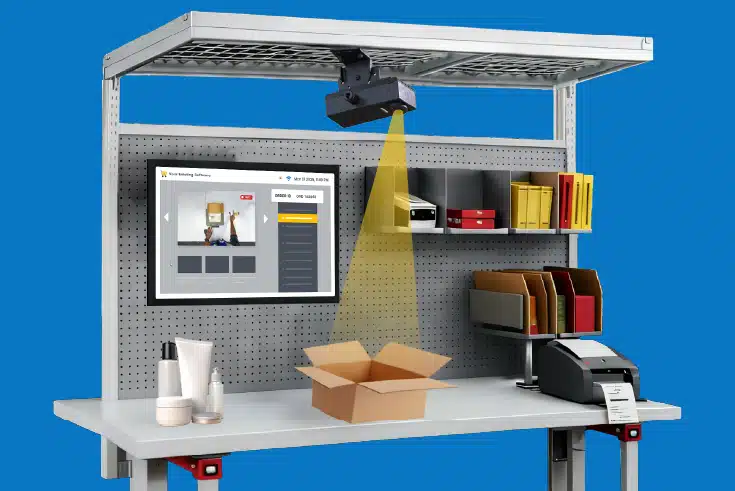
Dedicated vAudit hardware for recording the order packing process at the packing station.
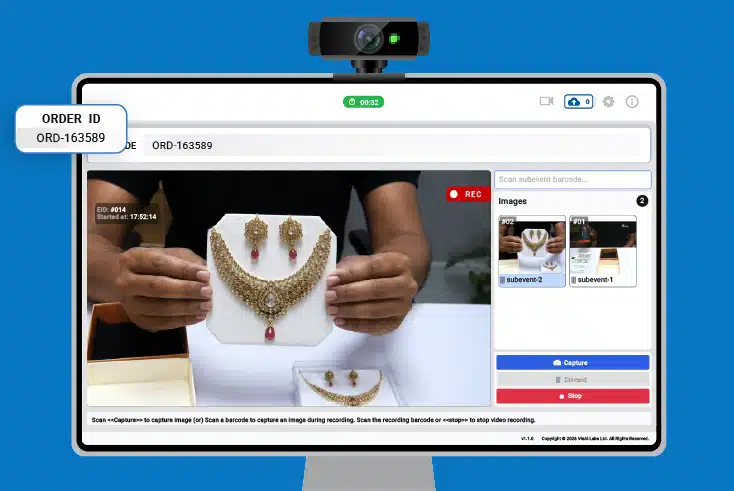
A desktop application that records packing videos using your webcam and laptop/desktop.
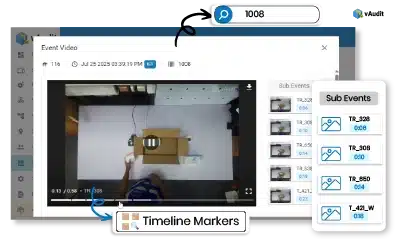
vAudit Forge manages the packing videos you record on your vAudit HD and Desk devices. It becomes an easy to access cloud platform that not only acts as a storage solution but also lets you generate video links for ease of sharing the video proof with your customers and manage devices, users, and deploy workflows remotely.
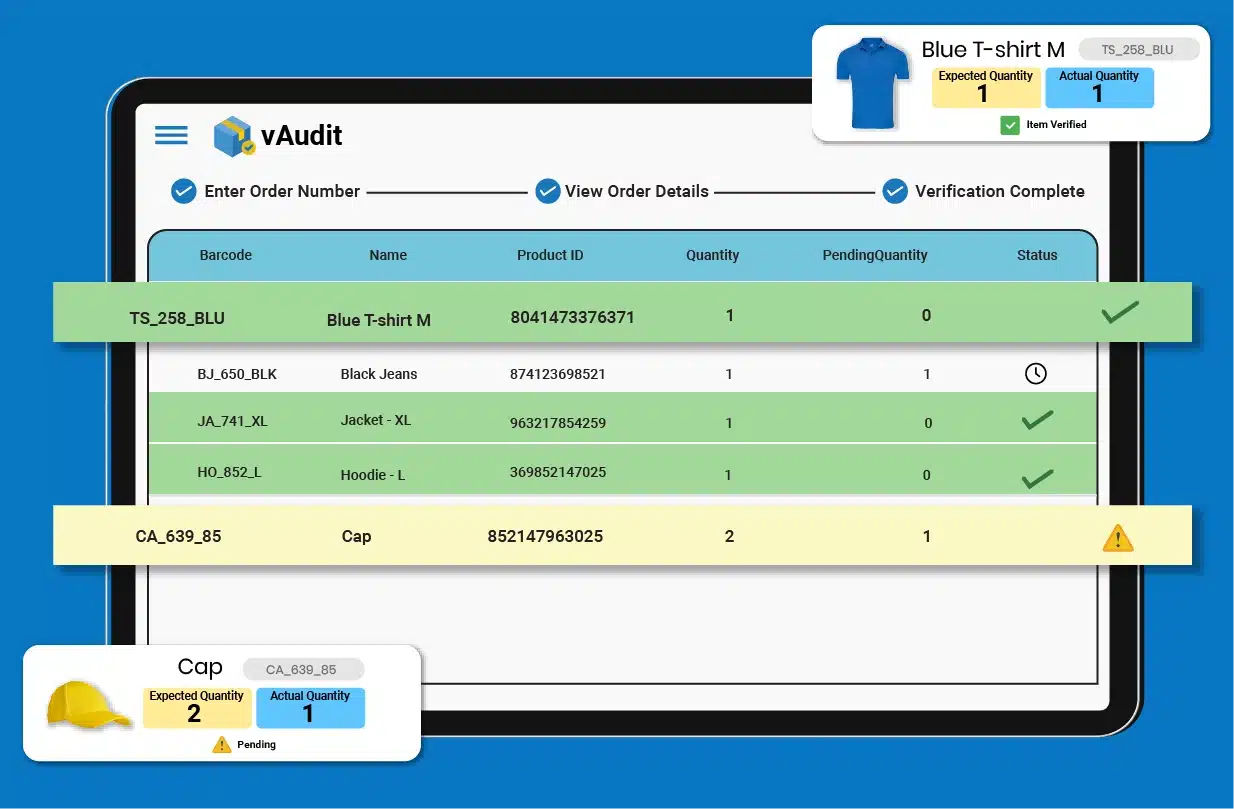
Scan the order ID at the pack station, and the packer clearly sees every SKU and quantity that belongs in that box.
Scan each item as it goes into the carton, and every scan neatly counts toward the quantity that order line needs.
If an item or count doesn't line up, vAudit shows which one on screen, and the packer can easily swap in the right product and scan again.
The order completes only when every SKU and quantity matches, so each sealed box is ready to ship with confidence.
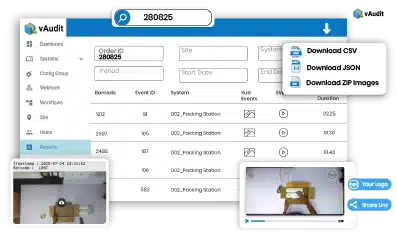
vAudit saves the packing video and the item images taken at each scan under the order ID, so your team can easily find them later in seconds.
Clear SKU and Quantity Verification
Every barcode scan gets a clear check against the order, so the packer knows the right item and count are going in.
WMS and OMS Order Sync
Order lines come straight from the WMS or OMS you already use, so every pack station works from fresh, accurate data.
Order-Linked Packing Video
The camera records the whole check while the packer works, and the video is saved under the same order ID.
Easy Search by Order ID
Type in an order ID and the exact packing video is ready to replay in seconds, so reviews stay quick and easy.
Order Completion After Match
The order closes only when every item and quantity matches, so each box leaves the bench complete and ready to ship.
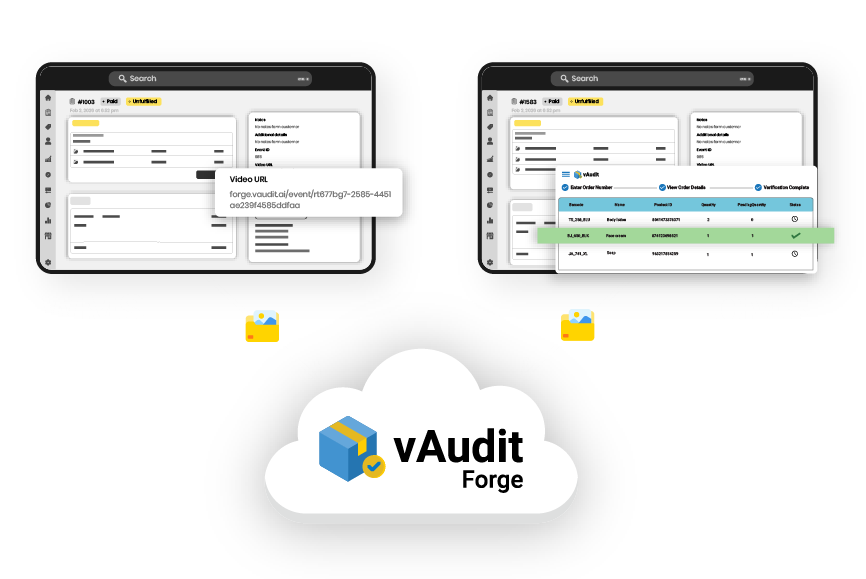

SOC 2 certified cloud platform
vAudit Forge is a SOC 2 certified cloud platform with role-based access and activity logs. Your order packing video and additional images are stored with enterprise level security.
Picking verification checks the products as they are taken from inventory. Order manifest verification comes later, when those products are at the packing station and the shipment is being put together.
A lot can happen between those two steps. Items may move through totes, sorting areas, or staging before they reach packing. So even when the picker collected the right product, the final carton can still end up with a missing item, the wrong variant, or the wrong quantity.
Picking verification is about what was collected. Order manifest verification is about what is actually about to ship.
Using both gives the warehouse a check at two useful points instead of assuming that a correct pick automatically means a correct final package.
An order manifest describes the contents expected in a specific customer order. It includes the SKUs, and quantities that should be packed.
A carrier shipping manifest is used later. It groups the completed parcels or shipments being handed over to the carrier for delivery.
So in order manifest verification, the warehouse is working with the first type. The question at the packing station is not “Which parcels are going to the carrier?” It is “What should be inside this order?”
That difference is important because the same word, “manifest,” is used for two very different records in fulfillment.
The packing station needs enough information to identify the order and tell the packer exactly what should go into it.
For most ecommerce orders, that starts with the order ID, SKU, and quantity. More detail is useful when products come in several versions or look very similar.
The order information includes:
The data also needs to be current. If the order changes before packing, the station should work from the updated version. Otherwise, the physical shipment may be checked against information that no longer reflects what the customer is supposed to receive.
Barcode scanning is one way to do it, but it is not the only way.
The actual job is simple: compare the products in front of the packer with the items and quantities listed for the order.
A warehouse might do that by scanning barcodes, checking the order list manually, using QR codes, or identifying products with computer vision. Some packing stations use more than one of these together.
The method depends on the products and the workflow. A barcode-heavy operation may lean on scanning.
What should stay consistent is the check itself: the physical contents of the package need to match the outgoing order.
When one order is leaving in more than one parcel, each parcel needs to be checked against the items assigned to that shipment.
The full customer order might contain products that are shipping at different times or from different locations. That means a package can be complete even though it does not contain everything from the original order. A practical way to handle it is: